Data Apps for Product Managers
How PMs can turn recurring data questions into reusable tools—without waiting for engineering bandwidth
Key Takeaways:
Product managers spend enormous amounts of time on recurring data tasks that could be automated into reusable tools
Data apps—whether UI-based dashboards, headless pipelines, or conversational workflows—give PMs a way to own more of the last mile from data to decisions
An AI software engineer like Memex lets PMs describe outcomes in plain language and iterate until they have working, deployed software
This isn't about becoming an engineer; it's about removing bottlenecks between questions and answers
The Data Reality of Product Work
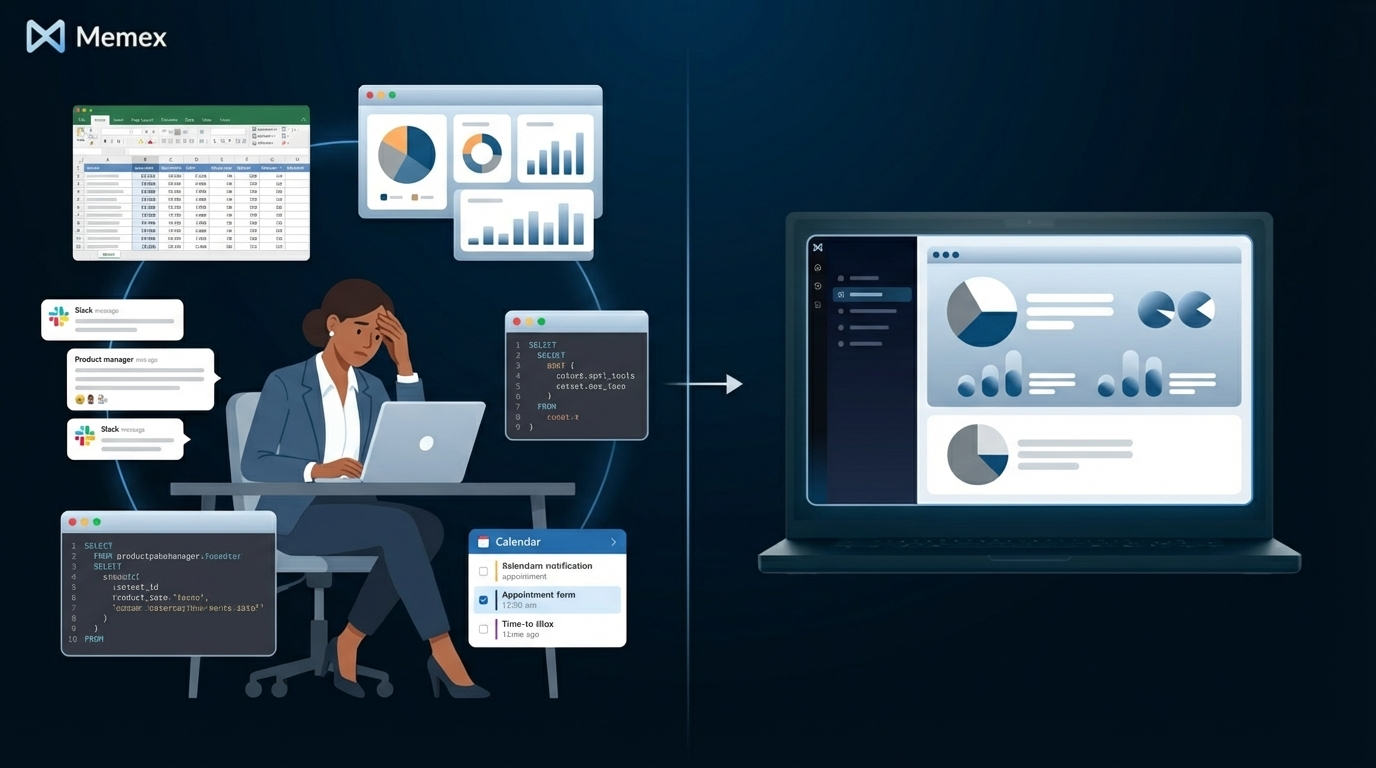
If you're a product manager, you already know the drill. Monday morning arrives and you need to understand how last week's feature release performed. You open your analytics dashboard, but it doesn't slice the data the way you need. You ping your analyst, who's juggling three other requests. You export some numbers to a spreadsheet, pull in data from another source, and spend an hour wrangling VLOOKUP formulas to get a cohort view that answers your actual question.
By Wednesday, you're doing something similar for a quarterly business review. By Friday, someone on the leadership team asks a question that requires yet another data pull, another spreadsheet, another round of manual assembly.
This is the hidden tax of modern product management. According to a survey by Amplitude, product teams spend 30% of their time on data-related tasks—not building product strategy, but hunting for information, waiting for reports, and stitching together ad-hoc analyses.
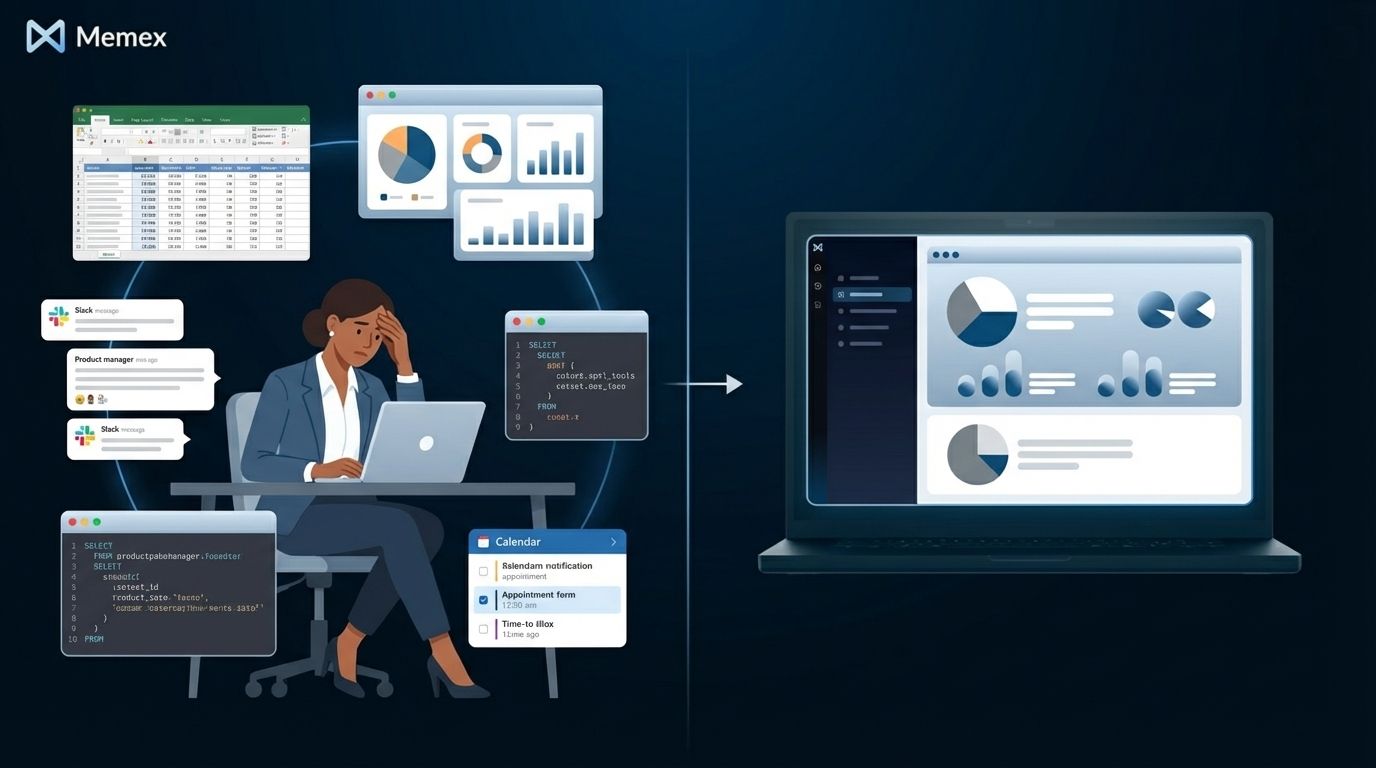
The frustrating part isn't that the data doesn't exist—it usually does, scattered across your data warehouse, product analytics tools, customer feedback platforms, and internal spreadsheets. The frustration is the assembly required to turn raw data into an answer you can act on. And when those questions recur—weekly, monthly, or every time a stakeholder asks—the assembly happens again and again.
What Data Apps Change
This is where data apps come in. A data app is any reusable, code-backed way of turning data into something useful. It combines three ingredients: data from wherever it lives, logic that transforms and interprets that data, and a surface that makes the output accessible—whether that's a visual interface, an automated pipeline, or a saved workflow you can re-run.
For product managers, data apps represent a shift from assembling answers to building systems that generate answers. Instead of re-running the same analysis every Monday, you build a tool that does it automatically. Instead of explaining your cohort definitions to an analyst each time, you encode them once and reuse them forever.
The traditional barrier has been obvious: building software requires engineering skills, and most PMs don't have the time or background to write and maintain code. But that barrier is dissolving. AI software engineers can now take a plain-language description of what you need and turn it into working code—handling the technical complexity while you focus on the business logic.
We've written before about how the combination of AI-generated code and easy deployment has changed who can build software. For PMs specifically, this means the gap between "I know what I need" and "I have a working tool" has shrunk dramatically.
Five Data Apps Every PM Should Consider
Let's get concrete. Here are five types of data apps that address recurring PM workflows—each representing hours of manual work that could become minutes of reuse.
1. Feature Usage Explorer
Every PM needs to understand how features are being adopted. The standard approach involves logging into your analytics platform, building segments, comparing time periods, and exporting charts for stakeholder presentations. A feature usage explorer consolidates this into a single interface where you select a feature, define your user segment, and immediately see adoption curves, engagement frequency, and retention impact.
The power isn't in the visualization—it's in encoding your organization's specific definitions. What counts as "active usage" for your product? Which user segments matter for this quarter's goals? A data app captures these decisions so you're not re-implementing them every time.
2. Experiment and A/B Test Browser
If your team runs experiments, you've experienced the pain of experiment archaeology—digging through past tests to understand what was tried, what worked, and why certain decisions were made. An experiment browser pulls from your experimentation platform's API, enriches tests with metadata about hypotheses and outcomes, and makes the full history searchable and filterable.
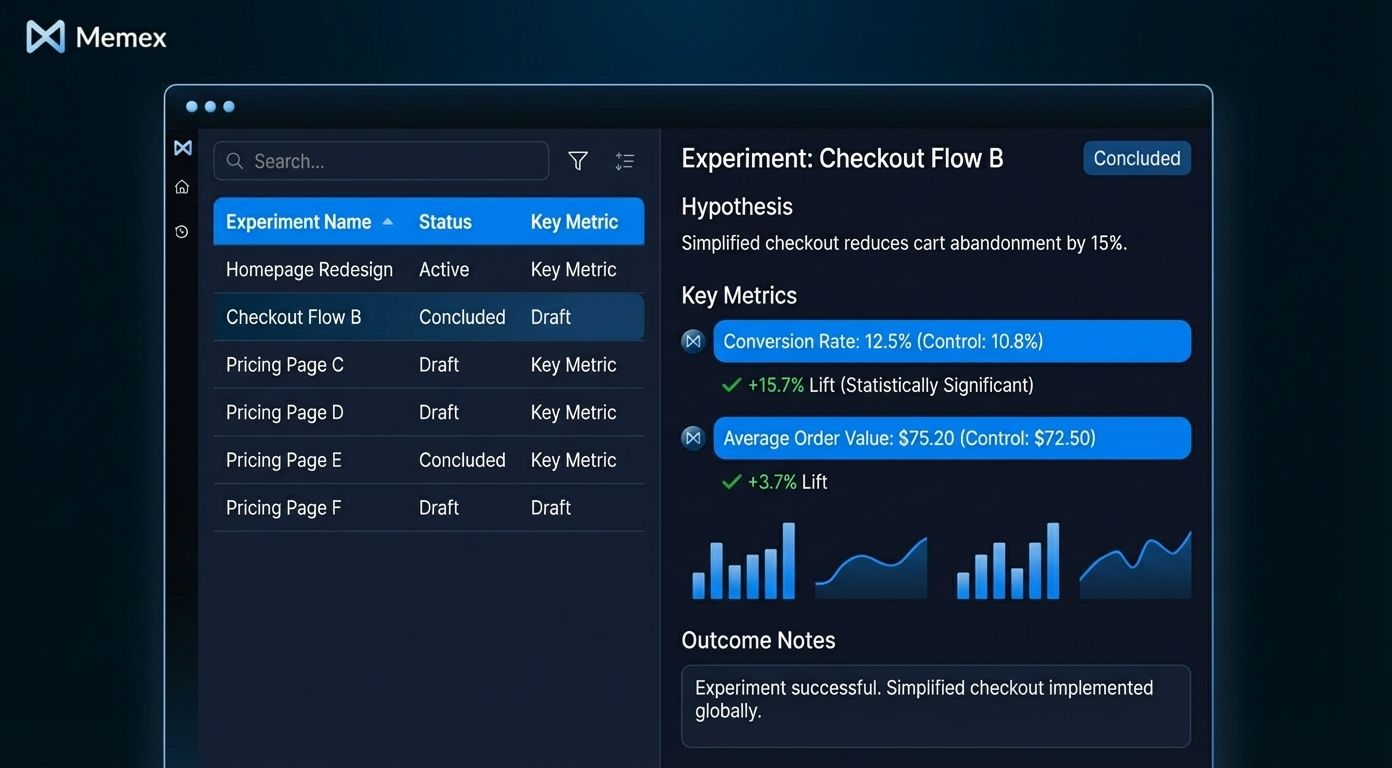
This becomes particularly valuable during planning cycles. Instead of relying on institutional memory about "didn't we try something like this before?", you have a searchable record that includes the quantitative results and the qualitative learnings.
3. User Feedback Triage Tool
Customer feedback arrives through many channels: support tickets, NPS surveys, app store reviews, sales call notes, user interviews. The standard PM approach involves periodic manual review, mental categorization, and gut-feel prioritization. A feedback triage tool aggregates these sources, applies consistent tagging (whether rule-based or ML-powered), and surfaces patterns that might otherwise get lost in the noise.
This is an example where the "surface" of a data app might not even be a traditional UI. The triage logic could run as a headless pipeline—automatically categorizing new feedback as it arrives, updating a summary dashboard, and flagging items that match criteria you've defined as urgent.
4. Cohort and Retention Explorer
Retention analysis is foundational to product strategy, but it's also notoriously fiddly. Defining cohorts correctly, choosing the right time windows, and accounting for your product's specific usage patterns requires careful setup. A cohort explorer lets you save these definitions, experiment with different segmentations, and compare retention curves across releases or user types.
The value compounds over time. Each question you answer gets encoded into the tool. "How does retention differ for users who completed onboarding vs. those who skipped it?"—run the query once, save the cohort definitions, and the comparison is available forever.
5. Roadmap Impact Simulator
This one is more ambitious, but increasingly common among data-sophisticated PM teams. A roadmap impact simulator connects your prioritization framework to actual data. If you're evaluating features based on reach, impact, confidence, and effort (the RICE framework, for example), a simulator can pull real numbers for reach from your user base data, reference historical impact of similar features, and help you pressure-test assumptions.
The goal isn't to automate prioritization—that still requires judgment. The goal is to make the inputs to that judgment more rigorous and less time-consuming to assemble.
Beyond Dashboards: The Full Spectrum of Data Apps
When we talk about data apps, dashboards and visual tools come to mind first. But the concept is broader, and understanding the full spectrum helps you see more opportunities.
UI-based tools are what most people picture: interactive interfaces where you click, filter, and explore. The examples above mostly fall into this category. They're ideal when you need to answer questions interactively or share insights with stakeholders who want to explore the data themselves.
Headless pipelines have no interface at all—they're automated processes that run on a schedule or in response to triggers. The feedback triage example could work this way: new feedback comes in, gets automatically tagged and categorized, and you only interact with the output. This is powerful for workflows where the logic is well-defined and human intervention is only needed for exceptions.
Conversational workflows sit somewhere in between. You describe what you want to analyze, an AI system runs the appropriate code, and you iterate on the results through back-and-forth dialogue. These are especially useful for exploratory analysis where you don't yet know exactly what you're looking for. In Memex, we can save these sessions and re-run them with fresh data—turning an ad-hoc exploration into something reusable.
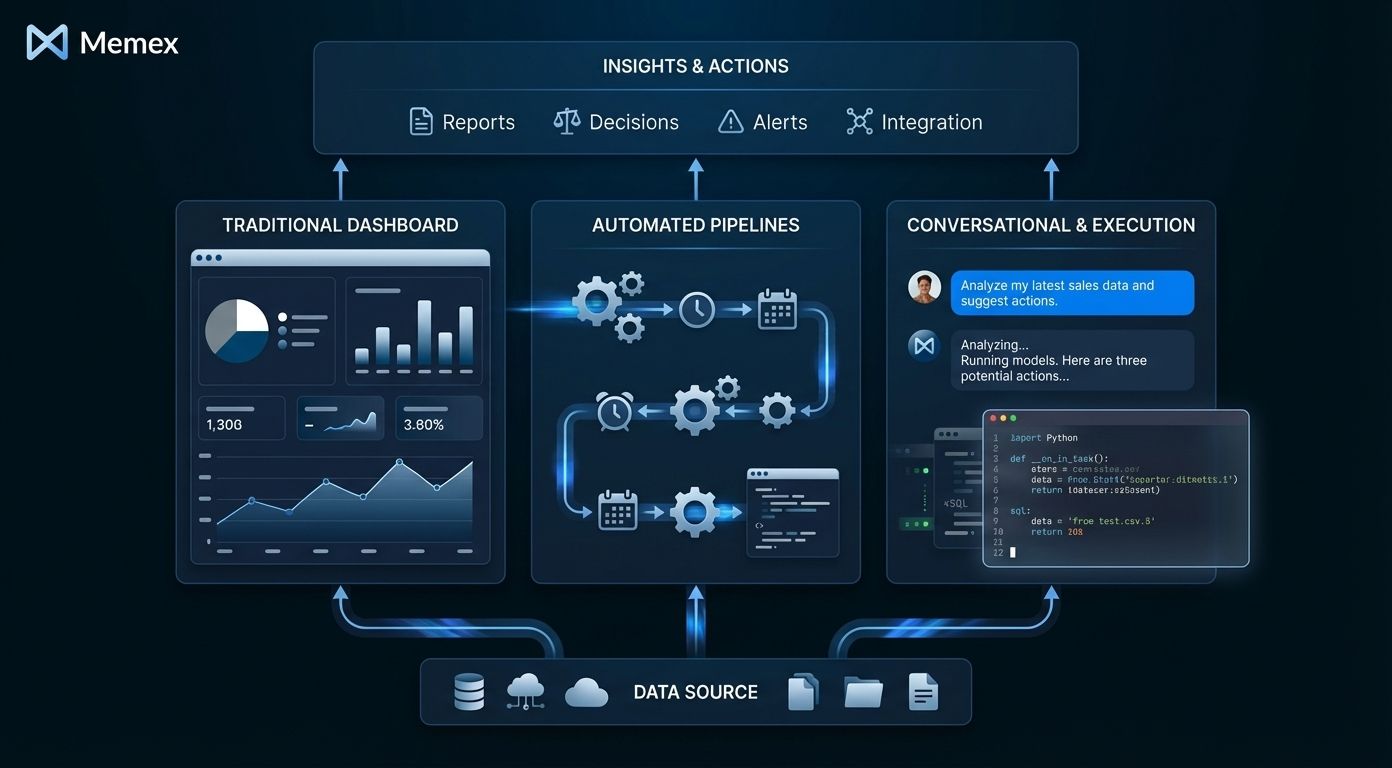
We've explored this spectrum in more detail in our piece on what we mean by data apps—the core idea is that the "app" part is about repeatability and reuse, not necessarily about having a UI.
How AI Software Engineers Change the Equation
Here's where things get interesting for PMs specifically. Historically, turning any of these ideas into reality required either (1) learning to code well enough to build and maintain software yourself, or (2) getting engineering resources allocated to internal tooling—which competes with product development work and often loses.
AI software engineers change this equation fundamentally. You describe the outcome you need in plain language: "I want a tool that shows me weekly active users by acquisition channel, with the ability to drill down by platform and compare to the previous period." The AI handles the technical implementation—connecting to your data source, writing the queries, building the interface, and deploying the result.
This isn't about generating code snippets you then need to understand and debug. A capable AI software engineer like Memex manages the full lifecycle: setting up the project, installing dependencies, writing backend and frontend code, running and fixing errors, and iterating until the system works.
For PMs, the workflow looks something like this: you describe what you want, including the business context and constraints. Memex asks clarifying questions or makes reasonable assumptions. You see a working version, often within minutes. You refine it—"add a filter for enterprise accounts only" or "change the chart to show percentage instead of absolute numbers." Memex implements the changes. You continue until the tool does what you need, then deploy it for ongoing use.

The mental model shift is significant. You're not learning to code—you're learning to describe what you need precisely and iterate on the result. The skills that make someone a good PM—clear thinking about user needs, understanding of business context, ability to prioritize—translate directly into getting good results from AI engineering tools.
The Empowerment Is Real
We've heard from PMs who've used this approach to build tools they'd been requesting from engineering for months. One product manager we spoke with had been waiting for a simple internal dashboard to track feature rollouts across customer segments. The request kept slipping in priority. In an afternoon with Memex, they had a working version deployed and accessible to their team.
This isn't about replacing collaboration with engineers—complex products still require deep engineering work. It's about eliminating bottlenecks for the category of tools where the PM knows exactly what they need, the data already exists, and the blocking factor is simply implementation capacity.
The speed matters too. When you can go from question to working tool in hours instead of weeks, you ask different questions. You experiment with approaches. You build a prototype to pressure-test an idea before committing to it. The iteration cycle shrinks from "wait for the next sprint" to "try it right now."
We see this pattern consistently across the thousands of projects built on Memex. As we described in our piece on why enterprises are gravitating toward AI software engineers, the value isn't just in any single tool—it's in the accumulated capacity to turn data into decisions faster.
Getting Started
If you're a PM curious about building data apps, the path forward is straightforward. Start with a recurring data task that's become annoying—something you do manually more often than you'd like. Describe it in plain language, including the data sources involved and the output you need. Use an AI software engineer to generate a first version, then iterate until it matches your requirements.
The tools you build will be real code, which means they're flexible and extensible. You're not locked into a template or constrained by what a no-code platform happens to support. If your needs evolve, you can evolve the tool—or hand it off to an engineer who can extend it further.
Product management has always been about bridging gaps—between user needs and technical possibilities, between data and decisions, between strategy and execution. Data apps, built with AI assistance, give PMs one more bridge: from knowing what they need to actually having it.
Join the Memex community on Discord to see how other product managers are building data apps for their teams.
Frequently Asked Questions
Do I need to know how to code to build data apps with Memex?
No prior coding experience is required. Memex is designed for people who are comfortable with data and logic but aren't full-time developers. You describe what you want in plain language, and Memex handles the technical implementation—writing code, installing dependencies, debugging errors, and deploying the result. The skills that matter are clear thinking about your requirements and the ability to iterate on results.
What data sources can I connect to for building PM data apps?
Memex can connect to virtually any data source: Google Sheets, CSVs, databases like PostgreSQL and Snowflake, APIs from tools like Amplitude, Mixpanel, or Jira, and cloud services. The desktop app includes secrets management for secure connections to sensitive data sources, and a local privacy mode for workflows involving confidential information.
How long does it take to build a working data app?
Simple data apps—like a filtered dashboard or a cohort explorer—can often be built in 30 minutes to a few hours. More complex tools with multiple data sources, custom logic, or sophisticated interfaces might take a day or two of iterative refinement. The time depends on the complexity of your requirements and how much iteration you need to get the output exactly right.
Yes. Memex can deploy your data apps to serverless compute, giving you a hosted URL that teammates can access without touching code. You maintain full ownership of the code—it's stored locally and can be exported, modified, or hosted elsewhere if needed. There's no lock-in to the Memex platform.
How do data apps built with AI compare to solutions from our data/engineering team?
Data apps built with AI are best suited for internal tools, ad-hoc analyses, and workflows where you know exactly what you need. They're not meant to replace production systems built by your engineering team. Think of them as filling the gap between "I wish we had a tool for this" and "engineering has bandwidth to build it." For complex, customer-facing features or systems requiring high reliability, you'll still want dedicated engineering resources.